
Pilot Logbook Audit: One Page Airline Summary With Simulator Proof

Auditors expect a complete, accurate, and traceable logbook, with every entry supported by a signature, a running total that adds up, and a story that holds together from your first solo to your last simulator session. The single move that matters most before any interview or regulatory check: freeze your original records, build a dated digital working copy, and condense everything into a one-page airline-ready summary. Do that first. Everything else in a pilot logbook audit flows from it.
TL;DR:
- Ensuring each logbook entry is complete, signed, chronologically ordered, and has accurate totals is crucial to passing an audit without red flags.
- Most common mistakes involve arithmetic errors, missing signatures, inconsistent handwriting, and suspicious corrections, which can easily be fixed with a careful self-audit.
- Creating a comprehensive, one- or two-page summary with verified totals and supporting documents significantly accelerates verification and reduces audit risk.
- Rebuilding lost logbooks requires prompt notification, corroborating evidence, and patience, as authorities enforce stricter verification procedures.
- Simulator session reports signed by instructors and detailed documentation strengthen audit evidence, especially for foreign hours or simulation-based training.
Table of Contents
- What Regulators and Airline Auditors Look for in a Logbook
- Common Audit Mistakes That Raise Red Flags
- How to Self-Audit Your Logbook Step by Step
- What to Do if Pages Are Missing or You’ve Lost Your Logbook
- Build an Airline-Ready Summary and Evidence Package
- Publisher Perspective: Simulator Center Tips for Preparing Audit-Ready Evidence
- An Editorial Take on Getting Your Logbook Audit Ready
- How Simulator Center Supports Audit and Interview Prep
- Sources
- FAQ
What Regulators and Airline Auditors Look for in a Logbook
A pilot logbook audit isn’t a glance at your total hours. Auditors work line by line, checking whether each entry could survive a cross-reference against company records, simulator logs, or a check airman’s signature.
Here’s what actually gets scrutinized:
- Required fields on every entry: date, aircraft type and registration, departure and arrival points, block or flight time, your role (PIC, SIC, PICUS), and conditions flown (day, night, actual or simulated instrument).
- Chronology: entries must run in date order with no unexplained gaps, and running totals need to reconcile from page to page without drifting.
- Signatures and countersignatures: training flights, PICUS time, and checkrides typically require an instructor or examiner signature, and missing ones are among the first things regulators and airlines flag during review.
- Presentation format: paper logs need legible, unaltered ink entries, while electronic logs generally need to be exported as certified true copies, not screenshots, when submitted to a regulator.
Australia’s Civil Aviation Safety Authority requires pilots to retain their logbook for at least seven years from the last entry and to produce it within a set timeframe on request, with electronic copies certified as true copies. That retention clock matters more than most pilots realize until an auditor asks for a document they threw out three years ago.
Common Audit Mistakes That Raise Red Flags
Most logbook problems aren’t fraud. They’re sloppiness that looks like fraud to someone reading your logbook for the first time. In rough order of how often they trip up an audit:
- Math and totals errors. Decimal hours mixed with minutes-based notation is the most common culprit, and it cascades into every running total after the mistake.
- Missing or late countersignatures. A checkride flown without an examiner’s signature, or a training endorsement added months after the flight, invites questions you don’t want to answer live.
- Unreadable or inconsistent entries. Switching between handwriting styles, pens, and formats across years signals a logbook that was reconstructed rather than maintained.
- Suspicious “cleanup” edits. Whiting out or erasing an entry, rather than annotating a correction, is the fastest way to turn an honest mistake into a tampering accusation. Audit guides consistently flag this as the single most damaging pattern reviewers see.
None of these mistakes are fatal on their own. Stacked together, they tell an auditor your logbook wasn’t maintained carefully, and that assumption follows you into the interview.
How to Self-Audit Your Logbook Step by Step
Run this before anyone else looks at your logbook. It takes an evening, not a weekend, if your records are reasonably intact.
- Freeze your originals. Do not edit paper entries or overwrite your master digital file. Create a separate dated working copy first, and make every correction there.
- Gather source records. Pull scans of paper pages, PDF exports of any e-logbook software, company flight records, military records if applicable, and simulator session reports.
- Normalize your time format. Pick decimal hours or minutes, not both, and recalculate every running total from the line items rather than trusting old subtotals. Inconsistent time formatting is a leading cause of arithmetic errors that get flagged in review.
- Verify role classifications. Cross-check every PIC, SIC, and PICUS entry against the exact definitions the authority or airline you’re applying to uses. These definitions shift between jurisdictions, and a role logged correctly under one standard can look wrong under another.
- Separate simulator time from aircraft time. Annotate any full-motion simulator or training device hours distinctly, and note conversion logic if you’re translating military or foreign-license time into a new format.
- Fix corrections transparently. Annotate, date, and initial every change instead of erasing it, and chase down any missing countersignatures now, while the instructor or examiner is still reachable.
Pro Tip: Recalculate your totals in a spreadsheet rather than by hand. Manual re-addition of years of logbook entries is exactly how a second arithmetic error gets introduced while you’re fixing the first one.
Working through the Airbus and Boeing type-rating admissions process makes this concrete fast, since programs typically ask for documented totals broken out by exactly the categories a self-audit forces you to reconcile.
What to Do if Pages Are Missing or You’ve Lost Your Logbook
A lost logbook isn’t the disaster pilots assume it is, but it isn’t a quick fix either. Regulators have formal reconstruction processes, and they’ve gotten stricter in recent years.
- Notify the issuing authority immediately and file a police report if theft is involved. Some agencies require this before they’ll schedule reconstruction.
- Expect a verification appointment. The UK Civil Aviation Authority now requires an in-person or interview-based verification for lost logbooks and no longer accepts a sworn affidavit as primary evidence on its own.
- Gather corroborating evidence: company flight records, dispatch logs, simulator session reports, instructor statements, and any prior license or medical application that listed your flight time totals.
- Budget time and money. Verification fees and multi week timelines are common, so start the process the moment you realize records are missing, not the week before an interview.
The bar has risen. Reconstruction used to lean on your word and a witness signature. Now it leans on documents that existed independently of you.
Build an Airline-Ready Summary and Evidence Package
A recruiter or licensing officer doesn’t want your logbook. They want a summary they can verify against your logbook in five minutes. This means building a one- or two-page document that mirrors how airline applications actually categorize flight time.
Your summary should total: total flight time, PIC time, SIC time, cross-country time, night time, actual and simulated instrument time, and turbine or jet time broken out by aircraft type. A clean summary structured this way cuts verification time dramatically because it maps directly onto the fields most airline portals ask for.
- Annotate every correction and every military-to-civilian conversion with a short note explaining the math, not just the result.
- Export your summary as a dated PDF, and get certified copies made wherever a regulator requires them rather than a personal printout.
- Attach scanned supporting documents (simulator reports, endorsement pages, training certificates) as a single appendix rather than scattering them across separate files.
Reviewers reward a package that answers their questions before they ask them.
Publisher Perspective: Simulator Center Tips for Preparing Audit-Ready Evidence
Simulator time is some of the most defensible evidence in your logbook, provided you keep the paperwork that comes with it. A signed instructor report from a Level D full-motion simulator session carries more weight in a verification interview than a logbook entry alone, because it’s an independent record generated by someone other than you.
Some training sessions produce documentation such as dated, instructor-signed reports that can back up your entries when an auditor asks how you’re classifying training device time versus aircraft time. Running your totals against a simulator session report before you submit an application is also a practical way to catch a mismatch while it’s still cheap to fix, rather than during an interview when it isn’t.
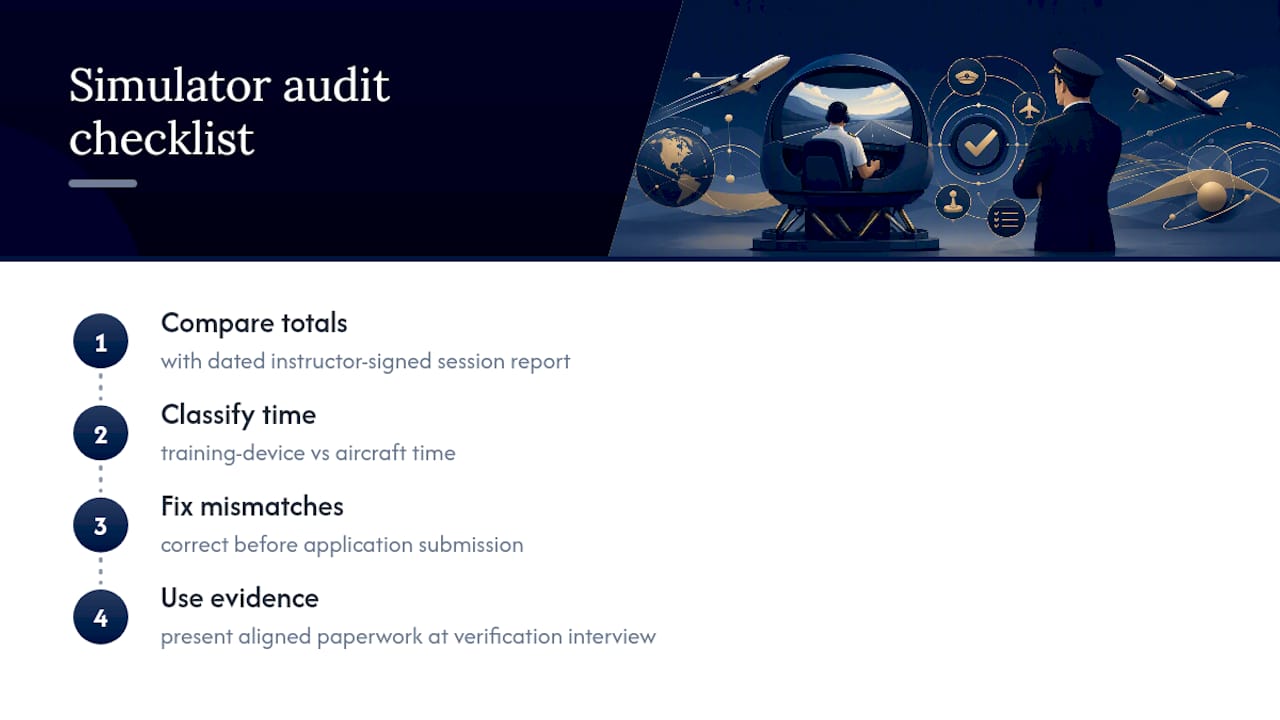
Pro Tip: Ask your simulator provider whether session reports can be issued on organization letterhead. That detail alone often determines how much weight a verification reviewer gives the document.
An Editorial Take on Getting Your Logbook Audit Ready
Most advice on logbook audits focuses on catching errors after they’ve piled up. That’s backwards. The pilots who sail through interviews aren’t the ones with flawless memories. They’re the ones who treat every flight, every simulator session, every endorsement as a document trail from day one, so there’s nothing to reconstruct later.
The conventional wisdom that a “clean” logbook just means no crossed-out entries misses the bigger issue. An auditor isn’t looking for perfection. They’re looking for consistency, a logbook that tells the same story every time someone checks it against outside records. That’s a different bar, and it’s one you can hit even with an imperfect history, as long as your corrections are transparent and your totals reconcile.
If you take one thing from this, prioritize the summary sheet over the logbook itself. Recruiters and licensing officers verify against summaries first. A logbook that’s technically flawless but buried in six formats across three notebooks will still slow you down and invite scrutiny a tidy one-pager would have avoided entirely.
— Jake
How Simulator Center Supports Audit and Interview Prep
Simulator Center gives you what a self-audit alone can’t: independently verified documentation for the hours that matter most to a recruiter or licensing officer. Where a spreadsheet fixes your math, a signed simulator session report or instructor-verified experience summary gives an auditor something outside your own logbook to check against.

Pilots working through an FAA license conversion often face exactly the mismatch problem this article covers: foreign hours logged under different categories than what a US audit expects. Simulator Center’s admissions team works through that translation one-on-one, and every Level D simulator session, whether it’s for an A320 or B737 type rating, generates a signed instructor report you can drop straight into your evidence package. If you’re preparing for an airline interview or a license conversion review, book a session or start an application through admissions and get documentation working in your favor before an auditor ever asks a question.
Sources
For retention rules, check CASA’s logbook guidance. For lost-logbook procedures, review the UK CAA’s verification process. For a systematic pre-audit check, tools like ClearedLog apply mathematical and flight-logic verification before you submit anything.
- Flight crew logbooks | Civil Aviation Safety Authority
- New CAA procedures for lost logbooks
- Pencil, pen or pad? A guide to pilot logbook requirements and options
- Pilot logbook audits and inspections: what authorities look for and how to prepare | Wilco
FAQ
Why Is a Pilot Logbook So Valuable?
It’s your primary legal record of flight experience, used by regulators and airlines to verify licensing eligibility, currency, and qualification for specific aircraft or roles.
Are Pilots Required to Keep Flight Logs?
Yes. Most aviation authorities require pilots to maintain a logbook documenting flight time, and many, including CASA, require it be retained for at least seven years after the last entry.
How Long Should a Pilot Keep Their Logbook?
At minimum seven years from the last entry under CASA rules, though many pilots keep logbooks indefinitely since airline applications and license conversions can require full career history.
What Happens if a Pilot Loses Their Logbook?
You’ll need to notify the issuing authority, potentially file a police report, and go through a reconstruction and verification process. The UK CAA, for example, now requires a verification appointment rather than a sworn statement alone.
Do FAA and EASA Audit Logbooks the Same Way?
No. Requirements differ on role definitions, retention expectations, and acceptable formats, so pilots converting between systems should tailor their summary to the target authority’s exact categories before applying, something FAA conversion support is built around.